Tuvvy

Cats

A 3D cat that lives on your screen or in your room through the camera. Call it and it answers, tap it and it purrs. The breed finder helps you choose a cat by voice, personality, size, budget, country, children, coat colour, grooming and more.
9:41▲ ◢ ▮
A living 3D cat
A living 3D cat
9:41▲ ◢ ▮
Find the breed that fits you
9:41▲ ◢ ▮
Size, coat, character and more

Already in the app

53 functions, free in every Tuvvy.

Cats module screen

  • 3D cat from tuvvy.app/cats opened in the app (new breeds and fixes without an app update)
  • Page in the app language; reloads when the language changes
  • 🏠 button back to the home screen, 🔍 opening the breed finder, and a Help menu
  • Bottom bar: chip with the selected breed (opens its card in the match list) and a “🔍 Find your cat” button
  • Remembers the selected breed — next time the cat starts as that breed
  • Android Back button closes the breed finder first
  • 🙀 error screen “Couldn't load the cat” with a “Try again” button when offline
  • 💬 Send to chat: a picture of the cat (cropped around it) with a link to the breed goes to the Messenger chat you pick
  • 🐈 Send a cat as a GIF: a 3D cat of any breed on your chosen background walks up, meows and gives you its paw
  • Play with your cat: the “For your cat” game in Games, six scenes to catch with a paw
  • One background colour in Settings for Cats and the cat on Home
  • Cat voice on Home: the 🔊 icon on the card switches it on and off
  • Welcome meow: the cat on Home meows when you open the app, with a switch in ⚙️ Settings
  • The cat on Home shows signs of life: every so often it meows, chirps or purrs by itself

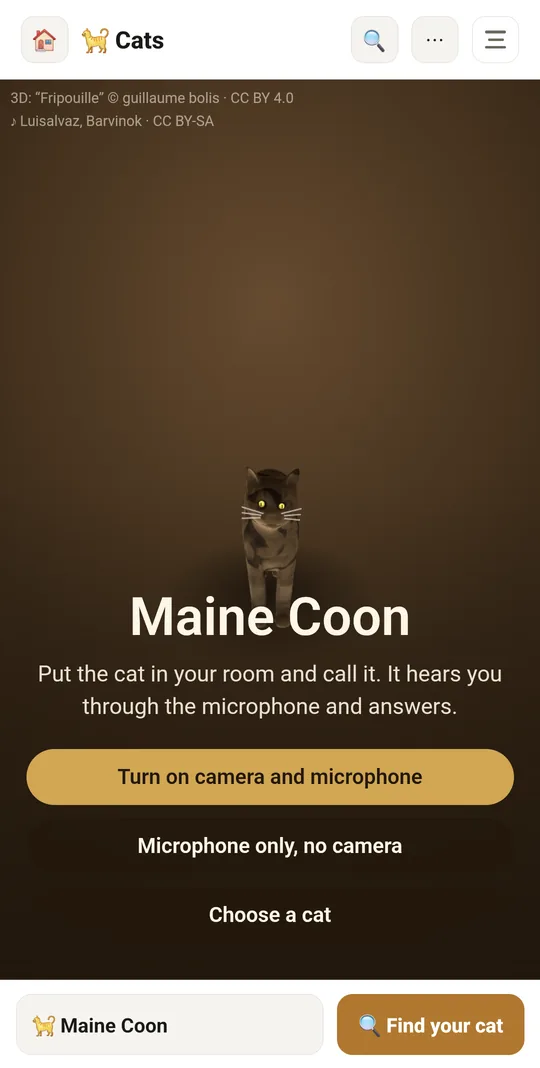
Start and camera

  • Start screen: “Turn on camera and microphone”, “Microphone only, no camera” or “Choose a cat”
  • Cat in your room: rear camera feed as the background (augmented reality)
  • Switch between front and rear camera (front one mirrored)
  • Without camera access the cat stands on a plain background; without the microphone it can't hear but can still be touched — with notices about it
  • Start tip: drag to move the cat, pinch to resize, call it

3D cat

  • Realistic 3D cat model with animated walk, breathing, blinking, ear, tail and head movement
  • Style switch: 🐈 Realistic / ✨ Anime (remembered)
  • Fur from photos of real coats (short, semi-long, dense/curly, hairless skin) layered over the breed's colours
  • Breed look: coat, belly and marking colours, eye colour, pattern (rosettes, spots, stripes, ticking, colourpoint, van, tortoiseshell/calico, curls, sphynx skin)
  • Breed look: coat length (ruff and fluffy tail on longhairs), ear size, short or no tail, flat face, white “mittens”, cat size
  • The cat walks to where you tap or drag your finger and looks towards the viewer
  • Two-finger pinch resizes the cat
  • Tapping the cat = petting: it purrs and squints (“Mrrr…”)
  • Background colour behind the cat and a collapsible breed traits card next to it

Voice and microphone

  • The cat hears through the microphone: it perks up its ears and answers a call with a meow or “mrrr?”
  • A loud noise startles the cat — it jumps and squeaks (“Yikes, that's loud!”)
  • Microphone level meter with the threshold at which the cat reacts
  • “Microphone on/off” button
  • Nothing is recorded or sent — the page only measures loudness
  • Chatty breeds meow on their own more often, quiet ones rarely
  • Meow button
  • Sounds panel: Kitten / Cat / Tomcat voice (remembered)
  • Sounds panel: Meow, Long meow, Meow-meow, Mrrr?, Squeak, Purr — from recordings of real cats
  • Voice pitch matched to breed size (large lower, small higher)

“Find your cat” breed finder

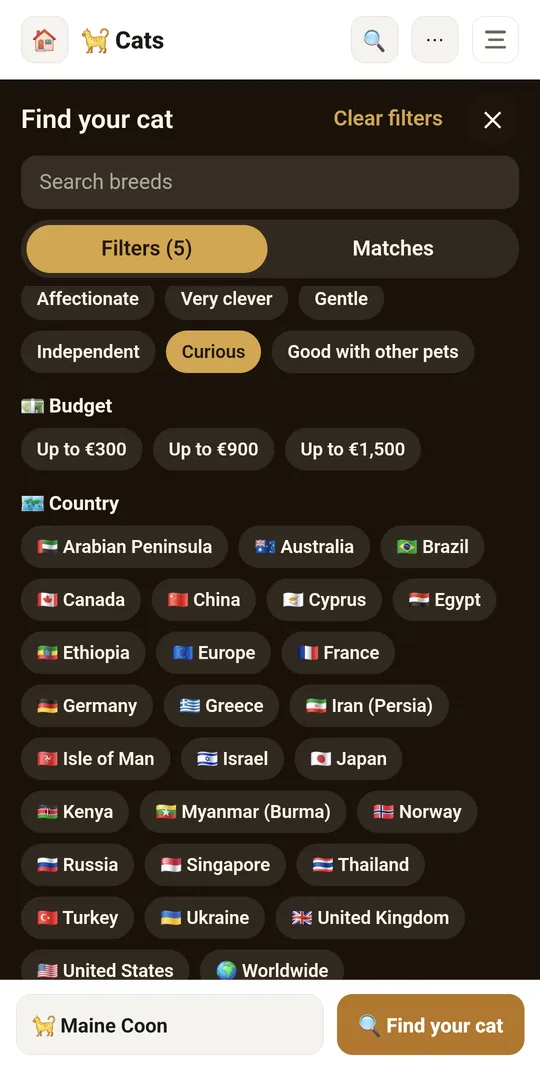
  • 96 breeds from around the world (natural breeds, pedigree breeds, wild hybrids and domestic/moggy cats)
  • Search by breed name or country of origin
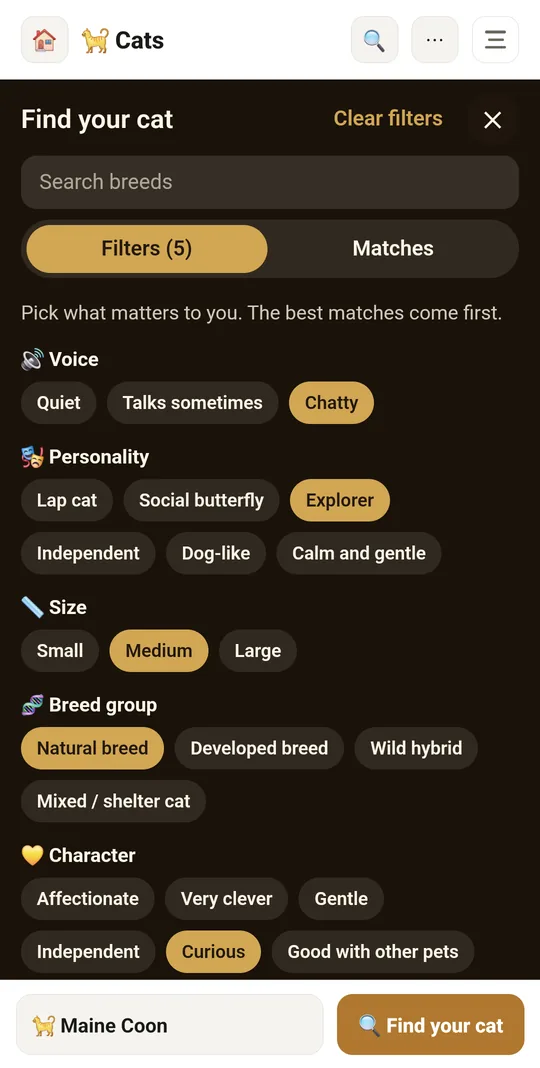
  • Filters tab (with selected count) and Matches tab; “Clear filters” button
  • Filters: voice, personality, size, breed group, temperament, budget (up to 300 / 900 / 1500 €), country (27 countries with flags), culture (temple cats, legends, royal courts, farms and ships, modern breeding)
  • Filters: playfulness, aggression, children, coat colour (12 colours), grooming and litter box, coat type, allergies (more allergy-friendly, sheds little), time alone at home
  • Selected filters remembered on the phone
  • Breed list sorted by best match with a match percentage (colour: green/orange/grey)
  • Breed row: coat and eye colour swatch, flag and country, weight in kg, approximate kitten price in €
  • Breed card: tags (personality, group, culture, coat), 1–5 scales (playfulness, voice, affection, children, other pets, grooming, shedding, intelligence, time alone) and aggression 1–3
  • Breed card: weight, lifespan, price, litter box size, notes (allergies, health of short-legged and fold-eared breeds, permits for hybrids, shelter adoption)
  • “🐈 Show in 3D” button turns the on-screen cat into the selected breed
  • Small picture of every breed in the finder list, in the realistic or anime style you use

tuvvy.app/cats page

  • Also works in the browser, without the app (camera and microphone require https)
  • Breed names in 5 languages (en, pl, de, uk, tr) and page text in English and 37 other languages
  • In-module help: description, tips (moving, size, petting, adoption) and FAQ (recording, prices)

Coming next

Ideas we are working on or considering — tell us which one you want first.

Idea · Premium

Your own cat in 3D

From a photo of your cat, Tuvvy makes a 3D cat with the same coat that walks around your room.