Tuvvy

PassBox

A safe for your passwords and accounts, cards, Wi-Fi and secret notes. Everything is encrypted on your phone with a master password only you know, and opens with your fingerprint or face.
9:41▲ ◢ ▮
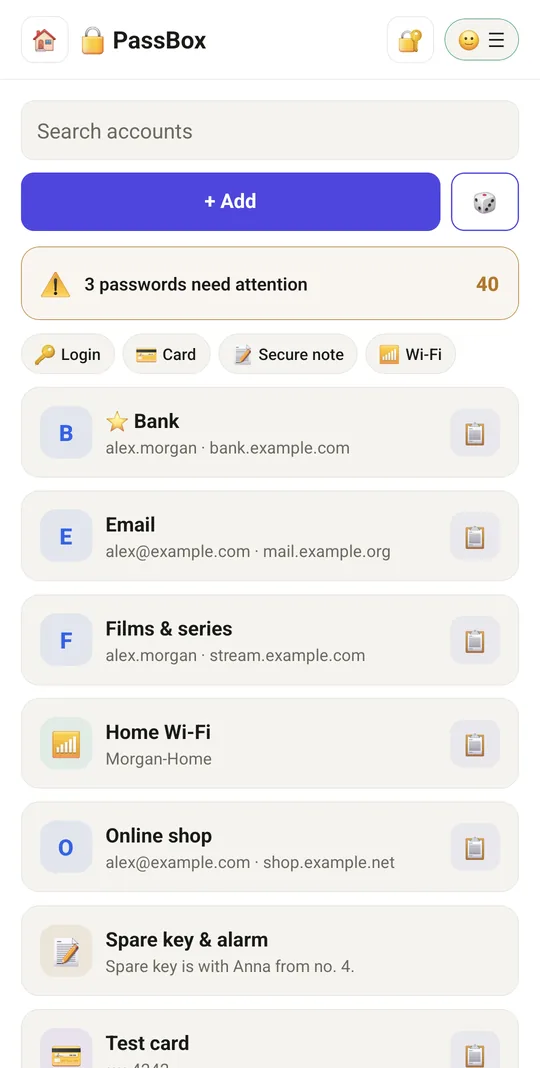
Passwords, cards, notes and Wi-Fi behind one lock
9:41▲ ◢ ▮
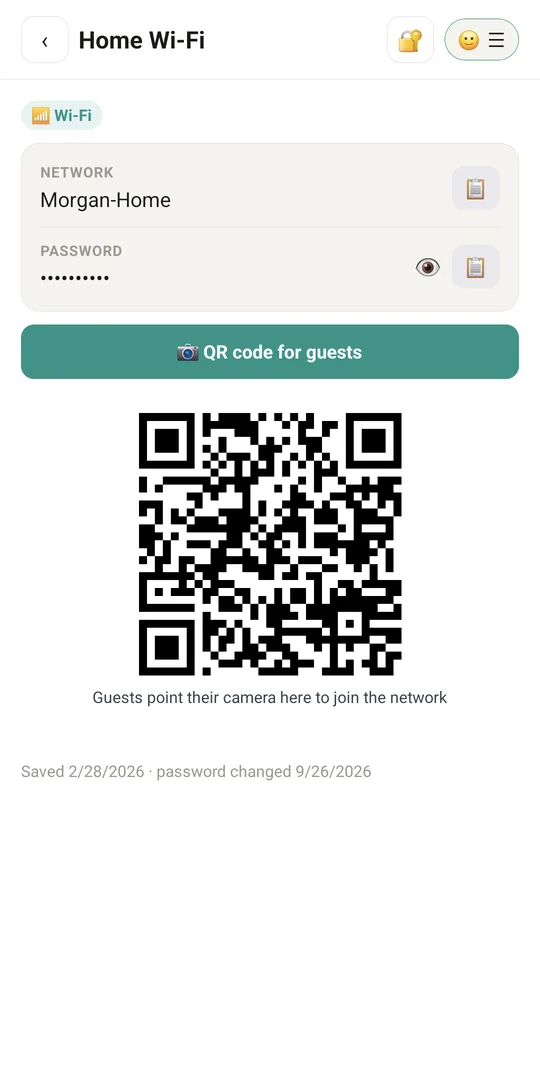
Wi-Fi for guests with a QR code
9:41▲ ◢ ▮
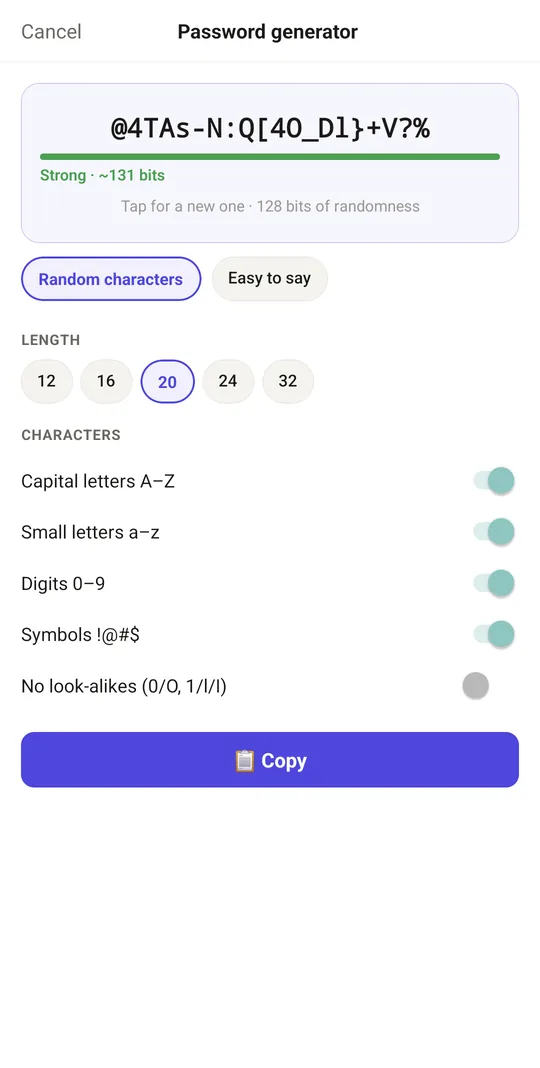
Strong passwords at a tap
9:41▲ ◢ ▮
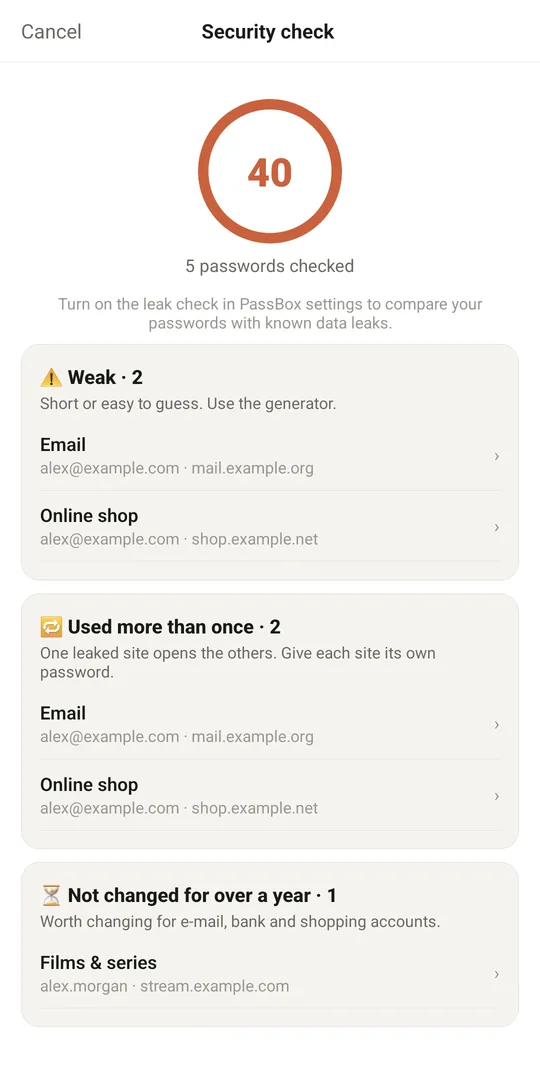
Weak, reused and old passwords at a glance

Already in the app

26 functions, free in every Tuvvy.

Vault and lock

  • Master password with a strength bar and a warning for a weak one; Tuvvy never sees it
  • AES-256-GCM encryption on the phone before anything is saved or synced, each entry on its own
  • Choose the lock: Standard (Argon2id, like Bitwarden and 1Password), matched to the phone's memory, or Compatible (PBKDF2) for older phones
  • Unlock with your fingerprint or face — the key is kept in the phone's secure chip
  • Auto-lock after the time you choose outside Tuvvy and after 5 minutes without touching the screen, a padlock to lock at once
  • No screenshots and no preview in recent apps while the vault is open
  • Change the master password, the lock or the second key without rewriting the entries
  • Optional password hint under the master password, shown on the lock screen with 💡 — it may not contain the password

Entries

  • Logins, payment cards, secure notes and Wi-Fi networks
  • 2FA codes like Google Authenticator — from the website's QR code or a typed secret, with a countdown
  • Wi-Fi with a QR code for guests — their phone camera joins the network
  • Accent-insensitive search, favourites at the top, type filter, tags
  • One tap copies a password, and the clipboard clears itself after 30 s (adjustable)
  • The five previous passwords kept with every entry
  • Fills in logins on websites opened in Tuvvy: tap the login or password field and pick the account; accounts saved for that site come first, only on https and only for the site that is really open

Passwords and security

  • Password generator: random characters (length, character types, no look-alikes) or an easy-to-say password made of syllables
  • Security check with a score: weak, reused and year-old passwords
  • Leak check with Have I Been Pwned (switched on in Settings) — only 5 characters of a SHA-1 hash leave the phone

Import, copy and sync

  • CSV import from Google / Chrome, Firefox, Bitwarden, 1Password, KeePassXC and Proton Pass, without duplicates
  • An encrypted copy to a file that opens only with the master password (and second key)
  • Sync to your other phones through your private Tuvvy cloud, already encrypted
  • Kept on the server: after a reinstall or on a new phone PassBox waits for the server copy instead of offering a new one, and asks before replacing it; a card shows the last sync
  • Import 2FA codes from an Aegis file, encrypted or not, or from a list of otpauth:// links; codes you already have are skipped
  • Tuvvy Keys: a separate app that opens on your 2FA codes, with a countdown and one tap to copy
  • Tuvvy Keys: bring your codes over from Google Authenticator by scanning its export QR codes
  • Tuvvy Keys: export your 2FA codes to an encrypted file in the Aegis format

With Tuvvy Premium Premium

Extras that tie this module to the rest of your Tuvvy.

⭐ Premium

Fortress lock

Argon2id with more memory plus scrypt, both needed for every password guess

⭐ Premium

Second key on paper (like a KeePass key file), with a QR code: copies outside the phone open only with the password and this key