Tuvvy

Radio

About 55,000 live radio stations from around the world as dots on a map and a 3D globe: tap a place and listen. It keeps playing in the background, a mini player follows you through the app, and you can share a station in a chat or on the Wall.

9:41▲ ◢ ▮
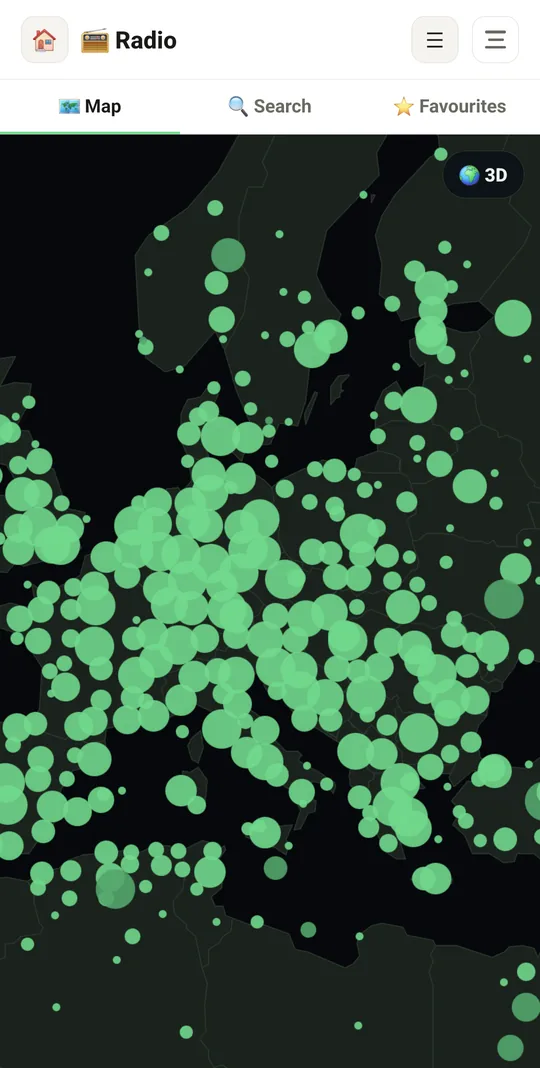
Radio stations all over the map
9:41▲ ◢ ▮
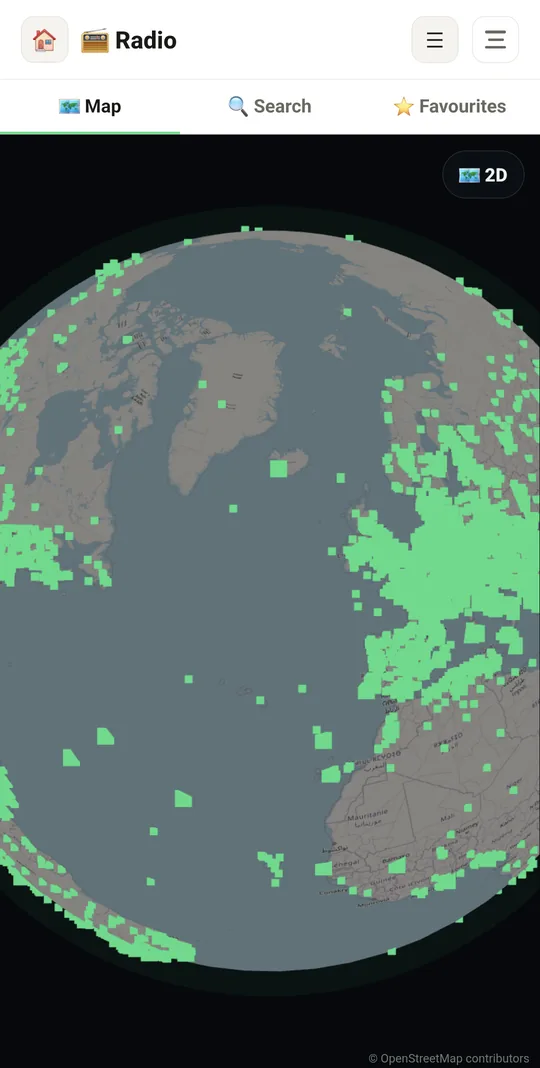
Spin the globe
Spin the globe
9:41▲ ◢ ▮
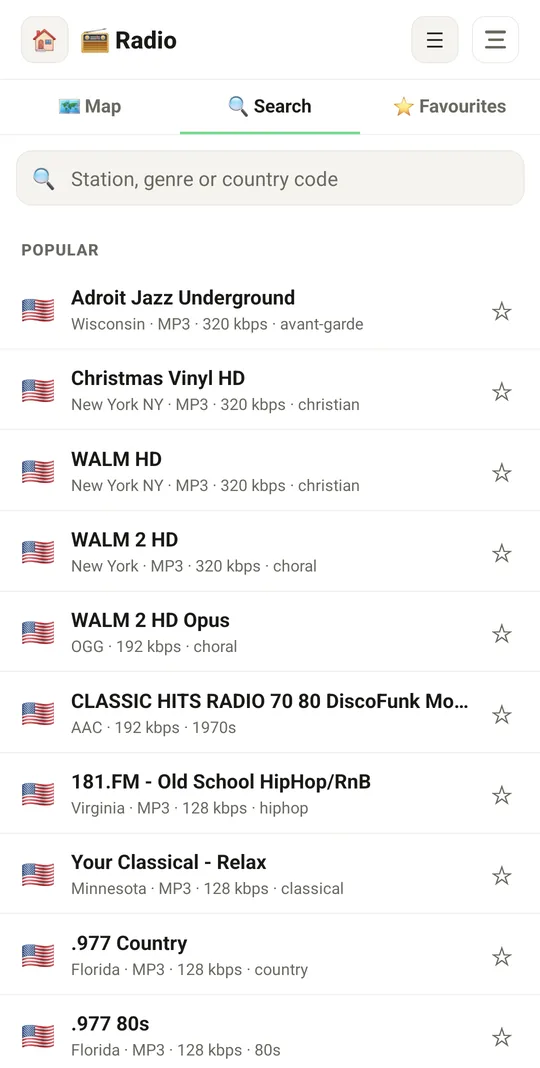
Search by station, genre or country
9:41▲ ◢ ▮
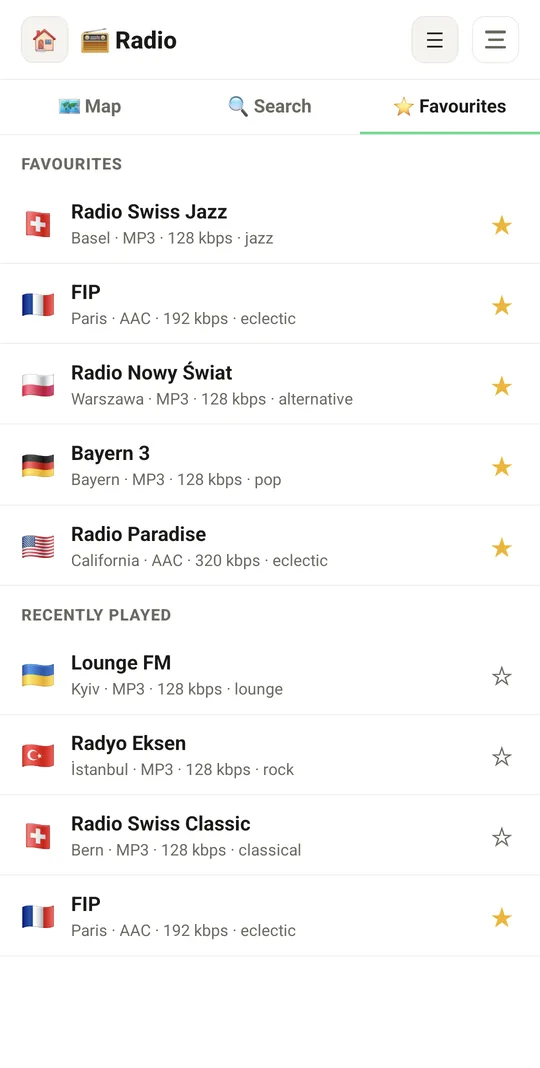
Favourites and recently played

Already in the app

29 functions, free in every Tuvvy.

Map and 3D globe

  • Flat world map and a 3D globe that turns on its own — 🌍 3D / 🗺️ 2D switch keeps the same spot
  • Green dots are places; a bigger dot means more stations
  • Tap a place: flag, region, number of stations and the list sorted by popularity
  • Nearby dots merge when zoomed out; tap to zoom in
  • The map works offline; the last view is remembered

Search

  • Search by station name, genre, region or country code, e.g. “pl jazz”
  • Accents ignored, every word must match, name matches first
  • “Popular”: the top 40 stations from your country
  • Live search in the online directory until the station list has downloaded

Favourites

  • ☆/★ next to every station
  • Favourites tab with the last 20 recently played stations
  • Long press: share, add to / remove from favourites, show on map
  • Clear recently played from the ☰ menu

Listening

  • One player for the whole app: keeps playing when you leave the module, switch apps or lock the screen
  • Lock-screen controls with the station name and logo
  • Pauses during a Messenger call and resumes afterwards
  • “This station is not responding” message so you can try another one
  • Each station shows codec, bitrate and genre

Mini player

  • 📻 bar at the bottom of every screen while a station is playing
  • ▶/❚❚, ↻ retry and ✕ stop; tapping the station opens Radio
  • Never covers text fields or bottom buttons

Sharing

  • Share a station to any app, in a Messenger chat, with the family or on the Wall
  • The link carries the whole station, nothing is stored on the server
  • In chats and on the Wall a station link becomes a card with ▶/■
  • Messenger “+” → Radio picks the station playing now, a favourite or one from search
  • A link opened without the app shows a page with the stream and an app download button

Stations and data

  • Stations from radio-browser.info, an open directory
  • The station list downloads once and updates itself; browsing and search work offline
  • Only listening needs internet (about 50–120 MB per hour)

Coming next

Ideas we are working on or considering — tell us which one you want first.

Idea · Premium

Recording and sleep timer

Record a show, even at a scheduled time, and turn the radio off after a set time.

Idea · Premium

Song to playlist

The song that is playing right now goes to Playlists with one tap.

Idea · Premium

Radio without the talk

When ads or long talk start, Radio switches to a similar music station and comes back for the music.

Idea · Premium

Listen together

You and friends in different places hear the same station at the same moment, with chat and reactions.