Tuvvy

Shopping List

Shopping lists with checkboxes, multiple lists, auto-emoji and one-tap ingredient import from the Recipes module.
9:41▲ ◢ ▮
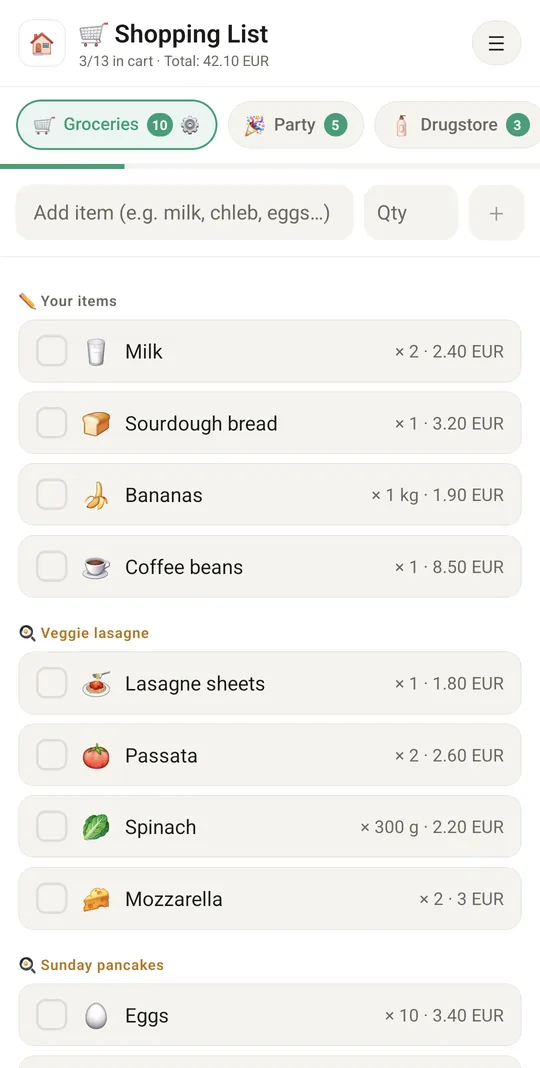
Grouped by recipe, with quantities and costs
⭐ Grouped by recipe, with quantities and costs
9:41▲ ◢ ▮
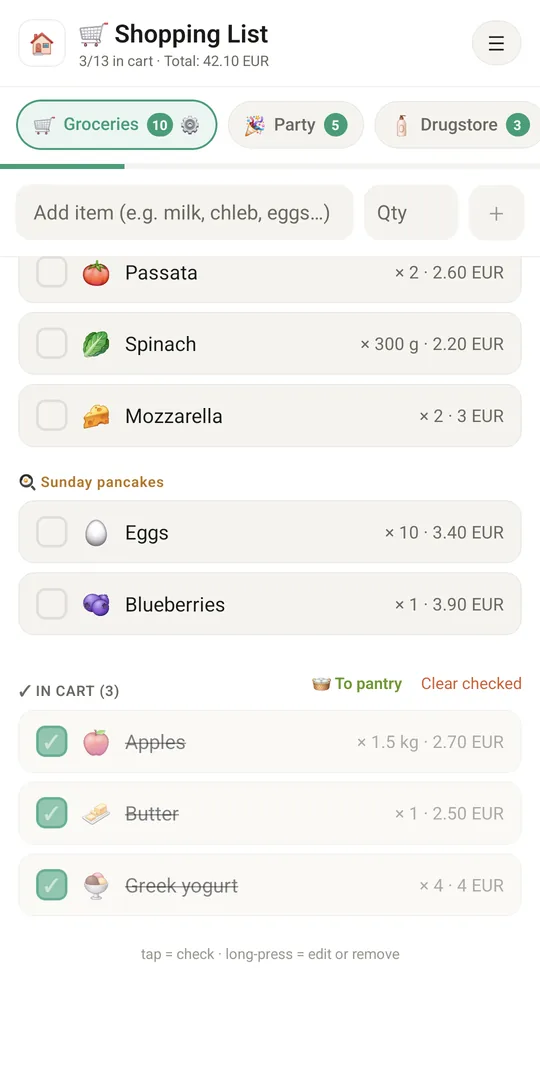
Already in the cart
Already in the cart
9:41▲ ◢ ▮
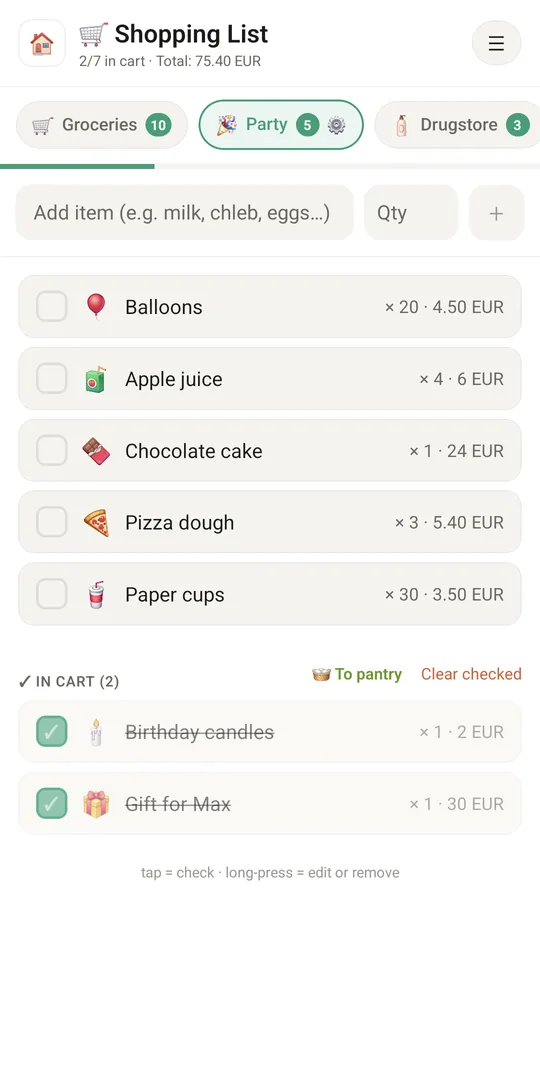
A list for every occasion
9:41▲ ◢ ▮
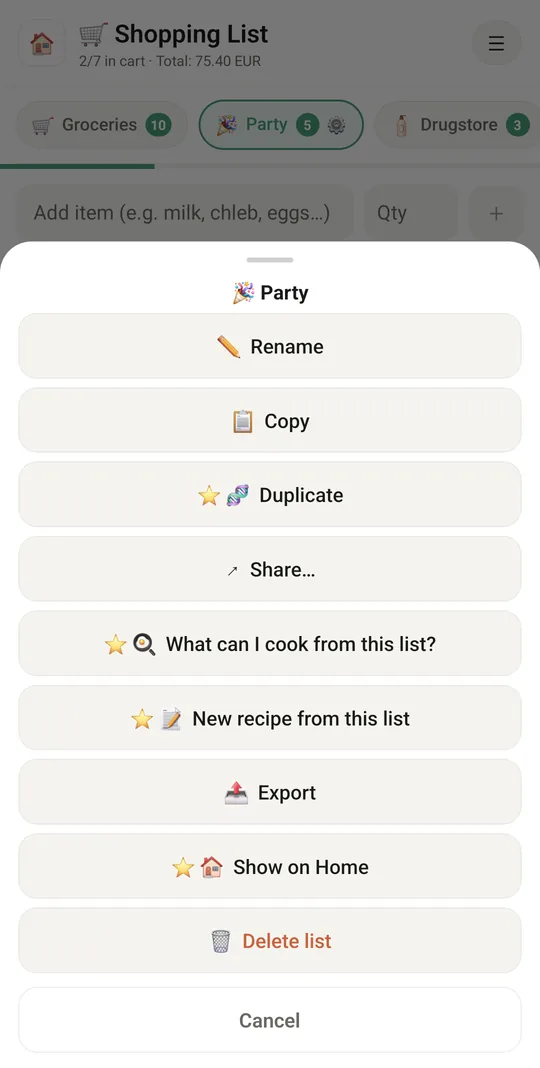
Duplicate, share or cook from your list
⭐ Duplicate, share or cook from your list

Already in the app

21 functions, free in every Tuvvy.

Lists

  • Multiple shopping lists (e.g. Groceries, Party) as chips at the top
  • New list with a name and emoji
  • Delete a list (the last list can’t be deleted)
  • ⚙️ List settings on the selected list (or long press any list): rename, copy items, share, export, delete
  • 🏠 A list as a widget on the Home screen with what is left to buy (tap opens the list, long press hides it)
  • One ☰ menu in the header: share, export, list settings, help, language
  • “x/y in the cart” progress bar

Items

  • Quick add with automatic emoji from the name (PL and EN, e.g. milk → 🥛)
  • Check off — bought items drop to the “In the cart” section
  • Long press = edit (name, quantity, cost), move to the pantry or delete
  • “Clear checked” with confirmation
  • Items added from a recipe are grouped and labelled with the recipe name, separate from “Your items”
  • List view: item numbers, A → Z or Z → A sorting and ▲▼ arrows to move an item one place up or down

Sharing and export

  • Share a list to Tuvvy Messenger as an interactive chat list (both sides check off and add)
  • Share a list to the family chat
  • Share as text to other apps
  • Export: .ics tasks, email, message, .md file, unbought only
  • Reminder at a chosen time and a calendar event for a list

Connections

  • Import ingredients from the Recipes module
  • Exchange items with the ToDo module (import/export)
  • “Item added” and “bought” events for integrations (webhooks)

With Tuvvy Premium Premium

Extras that tie this module to the rest of your Tuvvy.

⭐ Premium

Duplicate a list with all its items (e.g. the same groceries next week)

⭐ Premium

More than one shopping list on Home

⭐ Premium

Quantity next to the item name and a cost with a currency (12 currencies), in adding and editing

⭐ Premium

List total in the header, counted separately for each currency

⭐ Premium

🧾 One total price

type what you paid at the end of the list, without prices on single items — it replaces the sum, also in the header

⭐ Premium

Share a list on your Wall

⭐ Premium

What can I cook from this list? — Recipes shows dishes that use the most items

⭐ Premium

New recipe from this list — the items become ingredients of your own recipe

Coming next

Ideas we are working on or considering — tell us which one you want first.

Idea

A list that learns

Notices how often you buy things and suggests them: "you buy milk every 4 days, add it?"

Idea

Aisle order

Your list sorted in the order of the aisles in your shop.

Idea

Receipt ticks items off

Take a photo of the receipt and the items you bought get ticked off.

Idea · Premium

You're near the shop

When a family member is near a shop, they see what others still need from it.

Idea · Premium

Add by voice

Add items with Google Assistant or Siri without opening the app, even with doughy hands.