Tuvvy

Travel

Plan trips end to end: countdown, packing checklists from templates, pre-departure to-dos, a day-by-day itinerary and a trip budget.
9:41▲ ◢ ▮
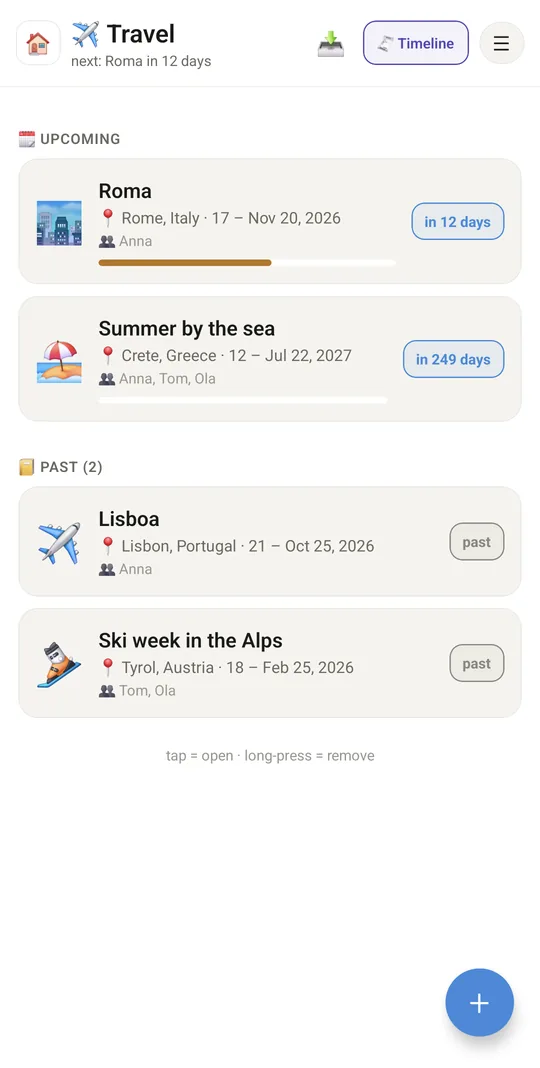
Every trip with a countdown
9:41▲ ◢ ▮
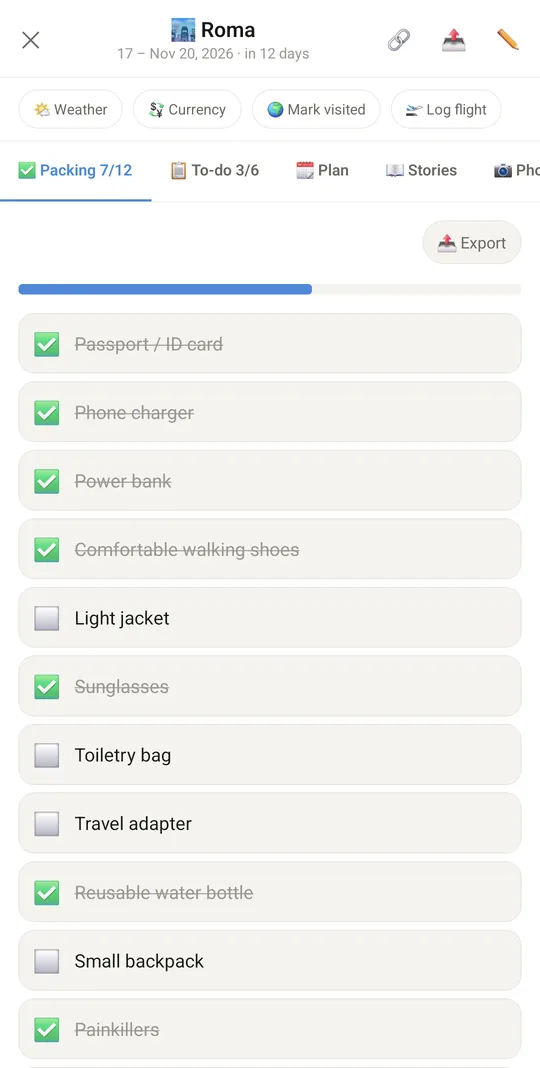
Packing list from templates
9:41▲ ◢ ▮
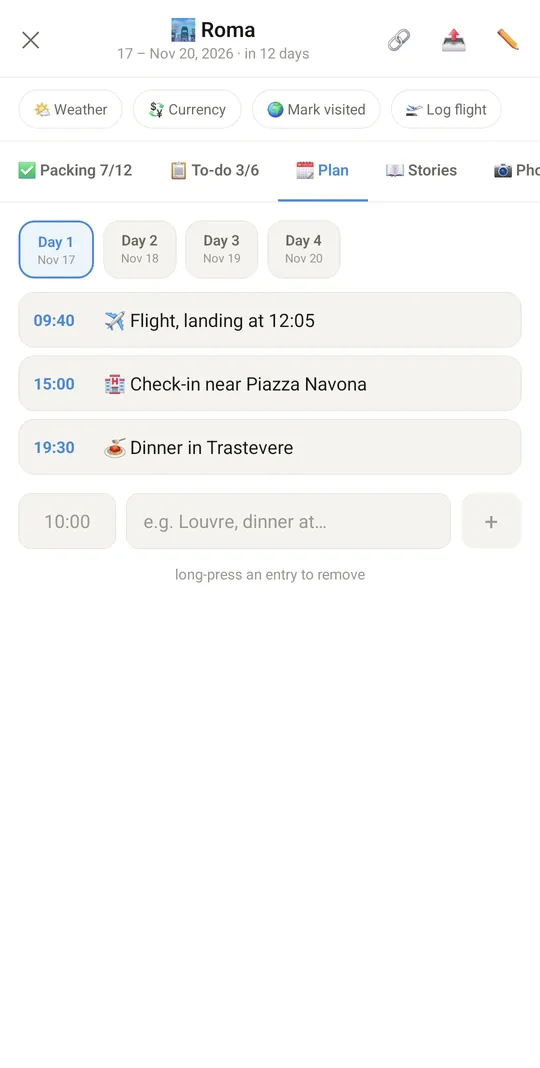
Day-by-day plan
Day-by-day plan
9:41▲ ◢ ▮
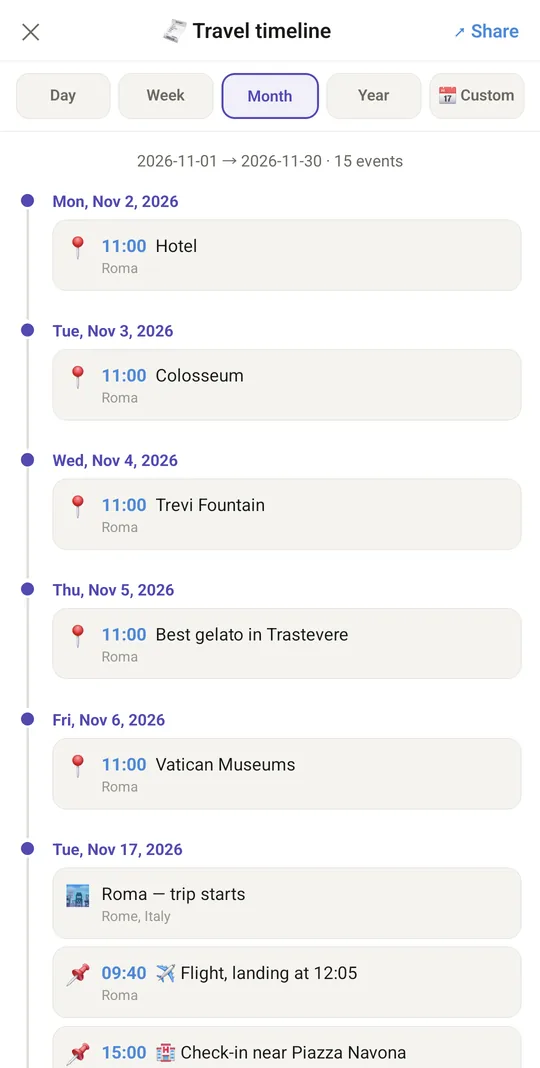
All your trips on one timeline

Already in the app

68 functions, free in every Tuvvy.

Trips

  • Trip name, destination, dates, icon
  • Trip tabs: Packing, To-do, Plan, Planner (premium), Stories, Photos, Map, Budget, Expenses — with counters
  • Travel companions: family, Friends Book or phone contacts
  • Packing templates when creating/editing: basics, beach, city, mountains, winter/ski, business
  • Combine templates without duplicates + default pre-departure to-dos
  • Countdown: in X days / day 3 of 7 / finished
  • List sections: happening now, upcoming, past
  • Packing progress bar on the trip card
  • Edit and delete a trip

Packing and to-do

  • Packing checklist with a packed-items counter
  • Pre-departure to-do list with a counter
  • Add your own items, tick them off, long-press to delete
  • Progress bar on the packing and to-do lists
  • Export a list: calendar tasks (.ics), email, message, .md file, reminder or event

Day-by-day plan

  • Trip days generated from the date range
  • Timed plan entries for the selected day
  • Long-press to delete an entry
  • While the trip is on, the Plan tab opens on today

Planner (premium)

  • Planner tab with in-app browser tabs (premium)
  • Ready-made tabs prefilled with destination and dates: flights, tours, hotels, search (premium)
  • Open an address or search phrase as a new tab (premium)
  • Tabs keep their page for a day or until the trip ends, ⟳ refreshes (premium)
  • Tab menu: rename, duplicate, reorder, end session, delete (premium)
  • Ready-made sites to pick: Skyscanner, Kayak, momondo, swoodoo, Rome2rio, Airbnb (with destination and dates) (premium)
  • Flight sites open on your route and dates: your airport and the destination airport above the tiles, remembered for the next trip (premium)
  • 📌 Add to trip from any tab: a hotel, tour or flight goes to the day plan, expenses, map or to-do list, with the page name, a selected price and a 🔗 link back (premium)

Stories and photos

  • Trip stories: title, date, text, GPS, place, who you were with
  • Read GPS position with the place address
  • Add photos from the gallery (up to 20 at once) or camera
  • Photo date and location read from EXIF
  • Caption, date, GPS, place, people in the photo
  • Photo galleries within a trip: create, assign, delete
  • Edit and delete stories and photos
  • Collage or postcard from the trip photos, made in the Photo Studio editor and saved back to the trip gallery, ready to share

Blog post

  • Blog post built from stories, photos and pins arranged by day
  • In-app post preview
  • Share the post as PDF, HTML or Word (.docx)
  • The Word version is a real .docx file with photos, stories and captions — ready for further editing

Map and places

  • Pin your current GPS position with an automatic address label
  • Add a place from coordinates or a place name
  • Interactive Leaflet route map (with offline library cache)
  • Offline SVG route sketch with distance
  • Full-screen map
  • Open a place in OpenStreetMap, long-press to delete

Budget and expenses

  • Planned budget and spent so far
  • Remaining / over budget with a progress bar
  • Expense total next to the manual value, with a button to copy it into “Spent”
  • Expenses: category, amount, currency, date, note
  • 12 categories: accommodation, flight, transport, rental, food, shopping, tickets, concerts, gifts, medicine, insurance, other
  • Filter expenses by category and total spent
  • Edit and delete an expense

Sharing a trip

  • 🔗 Share button: family, system Share…, Messenger chat, wall
  • Choose tabs to send: packing, to-do, plan, planner (premium), stories, photos, map, budget, expenses, notes
  • Empty tabs greyed out, selection remembered on the phone
  • Trip as text: destination, dates and selected parts (map places with Google Maps links, expense totals per currency)
  • People (companions, who is in a photo) never go into the shared text
  • Send to Messenger as a message draft
  • Post to the wall and jump to Wall (or to where you need to set it up)

Timeline and export

  • Travel timeline with range: day, week, month, year, custom
  • Share the timeline as text
  • Export menu: share timeline, blog post, open in Calendar

Family and links

  • Share a trip with your Household family (joint editing) from the 🔗 menu, “Shared” badge
  • Shared trip syncs every 20 s while the screen is open
  • Quick shortcuts: Weather, Currencies, Mark visited (Conquer the World), Log flight
  • Trips shown in Tuvvy Calendar
  • “Trips” strip on the home screen (enabled in Home settings)
  • Open a specific trip from search / the home screen
  • Data included in Tuvvy backup

With Tuvvy Premium Premium

Extras that tie this module to the rest of your Tuvvy.

⭐ Premium

How much the bank took on the trip

foreign payments from the bank statement in Expenses (pinned to the trip or from its days) against the ECB rate of each day

⭐ Premium

Good moment to exchange

before the trip, the ECB rate for the planned budget against the 30-day average, with an alert when it is better

⭐ Premium

Flying after diving

when you dive during a trip, Diving Log checks that the way home on the last day is not too soon after diving

Coming next

Ideas we are working on or considering — tell us which one you want first.

Idea · Premium

Bookings from email

Forward flight, hotel and train confirmations and they line up in your trip plan.

Idea

Packing list that learns

Things you took but never used drop off the list next time.

Idea

Phrasebook

Basic phrases in the language of the country you are going to.

Idea

Documents offline

Bookings, insurance and tickets for the trip available without internet.

Idea · Premium

Destination checklist

Before you go: passport validity, plug type, local currency and the country's emergency numbers.