Tuvvy

Wall

Follow the people you choose and watch their rides, runs and walks live on a map — or share your own. Only people you accept can see your wall, and everything on it is encrypted.
9:41▲ ◢ ▮
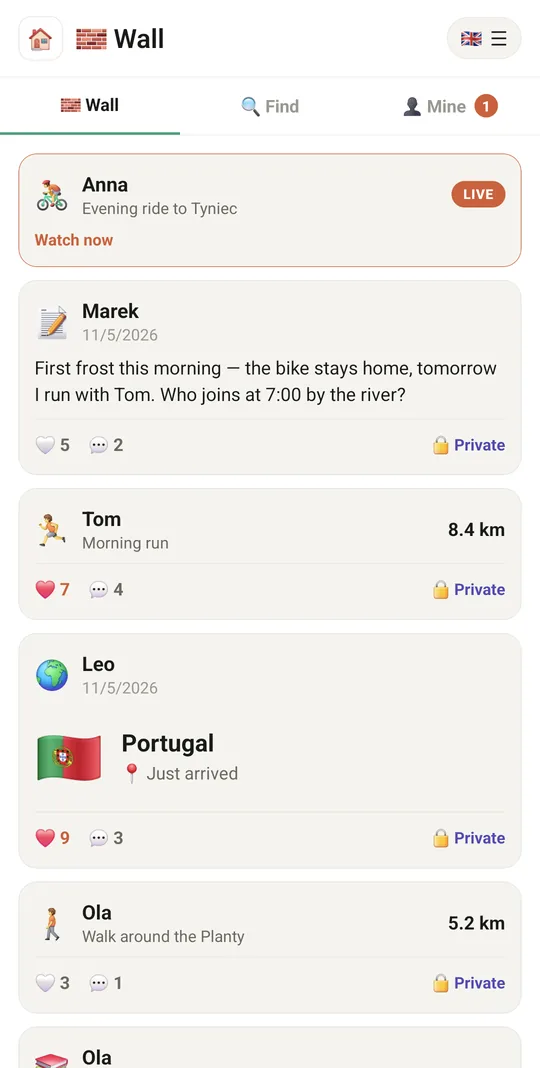
Live rides, runs and posts from people you follow
9:41▲ ◢ ▮
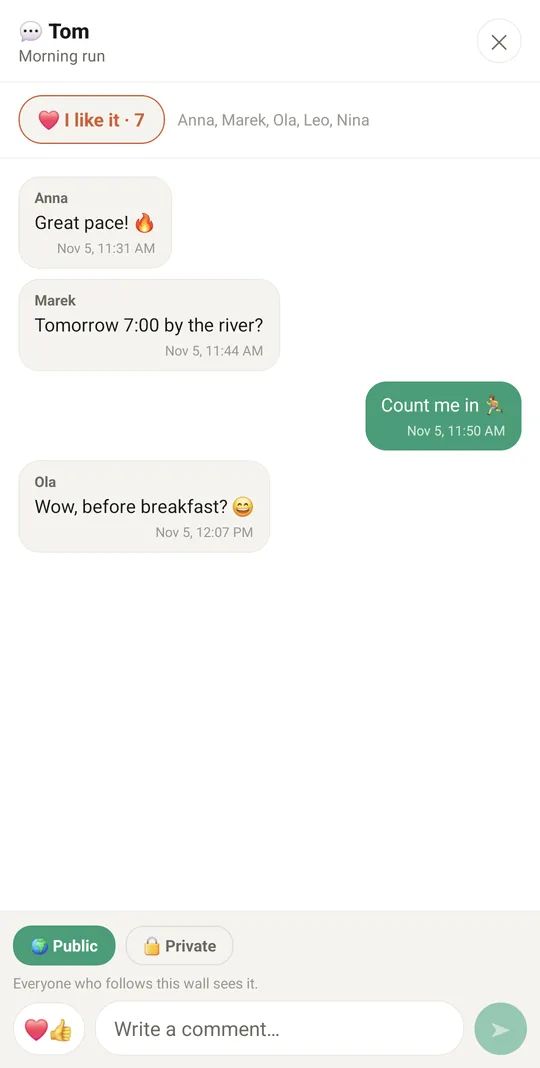
Likes and comments, end-to-end encrypted
9:41▲ ◢ ▮
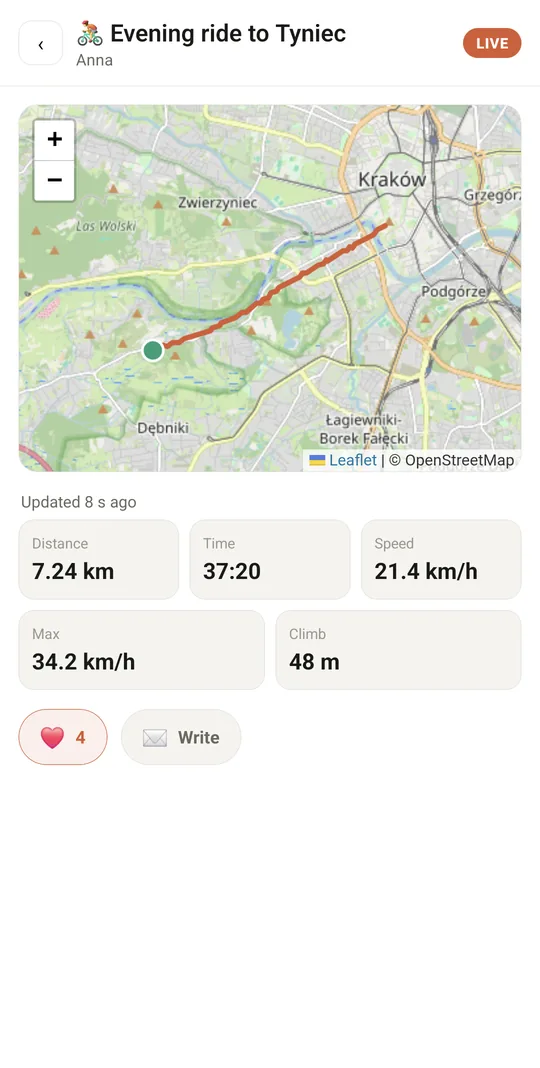
Watch a friend's ride live on the map
9:41▲ ◢ ▮
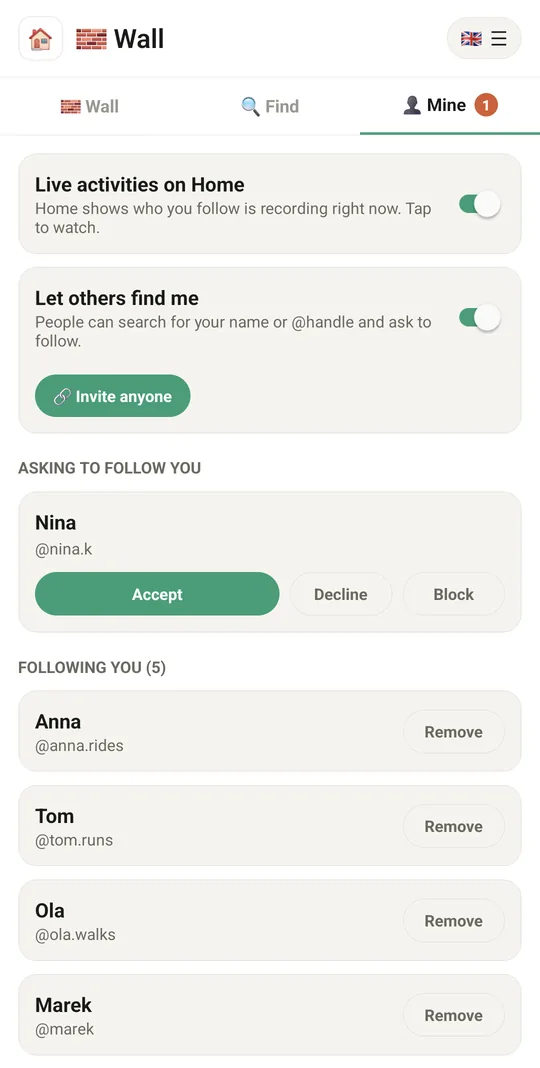
You decide who follows you
9:41▲ ◢ ▮
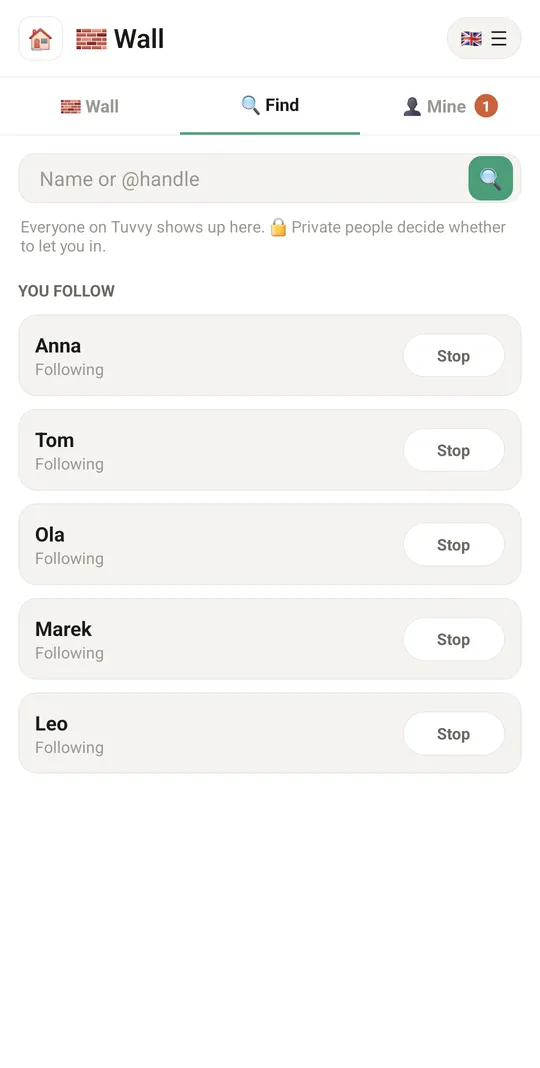
Find people and ask to follow

Already in the app

42 functions, free in every Tuvvy.

My wall

  • Create your own wall
  • “Let others find me” switch
  • Invite anyone to follow via a link
  • Follow requests: accept, decline or block
  • Followers list (up to 200) with removal
  • Pending request counter on the tab
  • Delete the wall (everyone stops following, activities disappear)
  • ⋯ on your own post (text, trip or poll) → 🗑 Delete from Wall, with a confirmation

Search and follow

  • Search people in Tuvvy by name or @handle
  • Private people marked 🔒
  • Follow request with status (sent, pending, following)
  • Add a person to contacts or open a chat
  • Following list with unfollow

Activity feed

  • Live activities at the top of the feed with a “Watch now” button
  • Finished rides, runs and walks with distance
  • Posts from Your Library and other modules on the timeline
  • Trip posts ✈️ from the Travel module on the timeline
  • Doodle polls on the wall — vote and suggest your own dates
  • Hearts for activities (tap again to undo)
  • Delete your own post with a long-press
  • Pull down to refresh
  • 💬 Comments under every post and activity, laid out like a chat — all followers see them
  • 🔒 Write privately to the author: a Messenger message with a quote of the post
  • ❤️ I like it under posts too, not only under activities
  • ✉️ Write to a friend straight from their activity: from a chat card the reply goes into a thread under it, from the Wall a chat opens
  • 🟢 Online dot next to the people in your feed, search, requests and subscribers

Live route view

  • Map with the route from the start and the current position
  • Stats: distance, time, speed, average, elevation gain, calories
  • Time since the last received position
  • Route breaks drawn as gaps
  • Share a finished activity in a Messenger chat

Sharing from other modules

  • Live broadcast from the Activity module (“Share live on my wall”)
  • Post stats from Your Library (“Share on Wall”)
  • Post a Doodle poll on the wall
  • Post a trip from Travel (selected tabs as text) on the wall
  • 🧱 Wall in the ☰ menu of Activity, Doodle, Games, Radio, Travel and Your Library takes you to your Wall after you share something
  • 🌍 A country on your Wall: share a visited country from Conquer the World as a card with its flag, and followers get a notification
  • 🚗 A ride from Autostop on your Wall: the ride card, and followers open it in Autostop with one tap

Privacy and notifications

  • Routes, names and posts encrypted on the phone with the wall key
  • New wall key after removing a follower (once the current activity ends)
  • Notifications for requests, acceptances and broadcast starts (Android)
  • Tap a notification to open the wall

With Tuvvy Premium Premium

Extras that tie this module to the rest of your Tuvvy.

⭐ Premium

Race a friend

open their finished activity and tap 👻 Race this ride. Then record on that route in Activity — the ghost shows how far ahead or behind them you are

Coming next

Ideas we are working on or considering — tell us which one you want first.

Idea

Your year in Tuvvy

A year summary from all your modules, like distance, countries and books, as a card you choose what to show on.

Idea

Group challenges

Challenges like 100 km this month for the people who follow you.

Idea

Circles

Show a post only to a chosen group of followers.

Idea · Premium

Live cheering

During your run, friends send cheers that a voice reads out in your headphones.

Idea · Premium

Event guest book

Guests scan a QR code and add photos and wishes without installing an app, all in one album.