Tuvvy

Wealth

Track your entire net worth in one place — accounts, investments, property, retirement and debts, across currencies, with history and a goal.
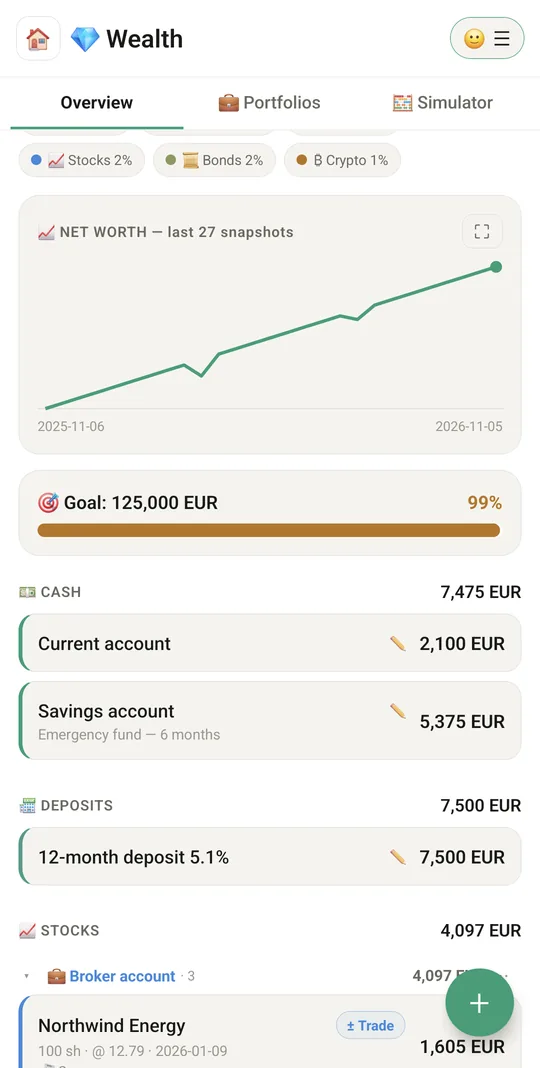
9:41▲ ◢ ▮
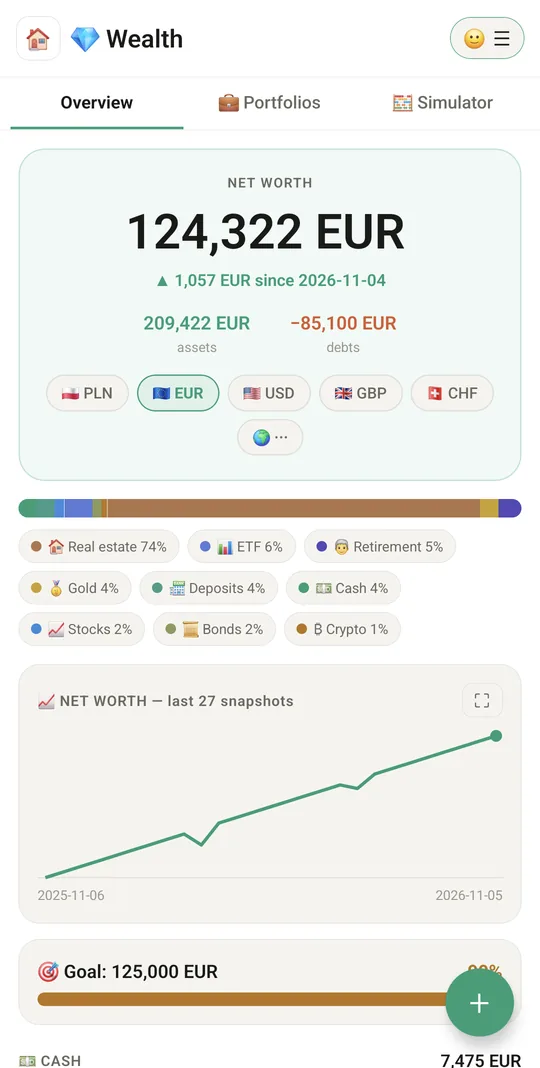
Your net worth in one number
9:41▲ ◢ ▮
A year of growth and your goal
9:41▲ ◢ ▮
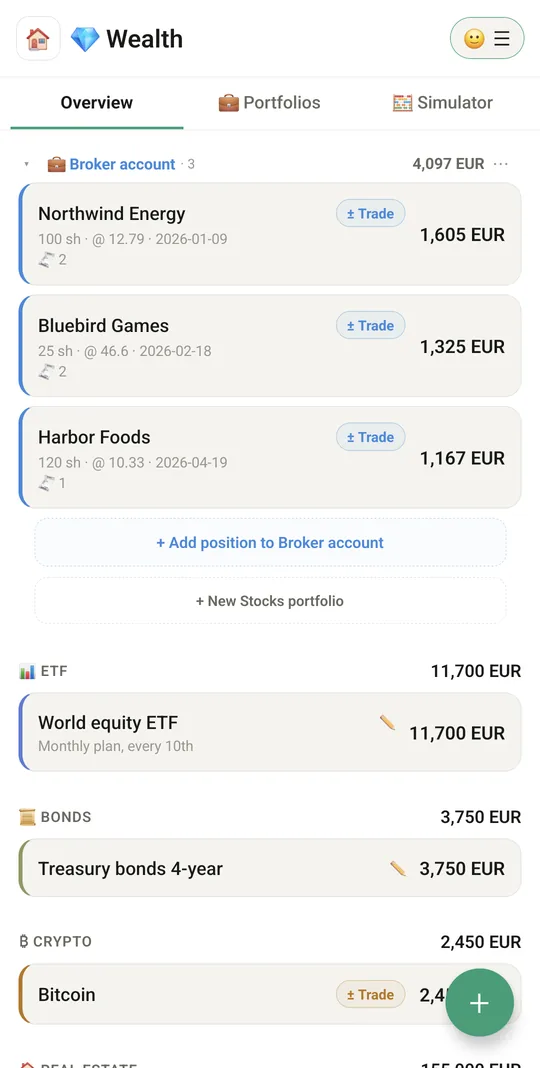
Everything you own and owe
9:41▲ ◢ ▮
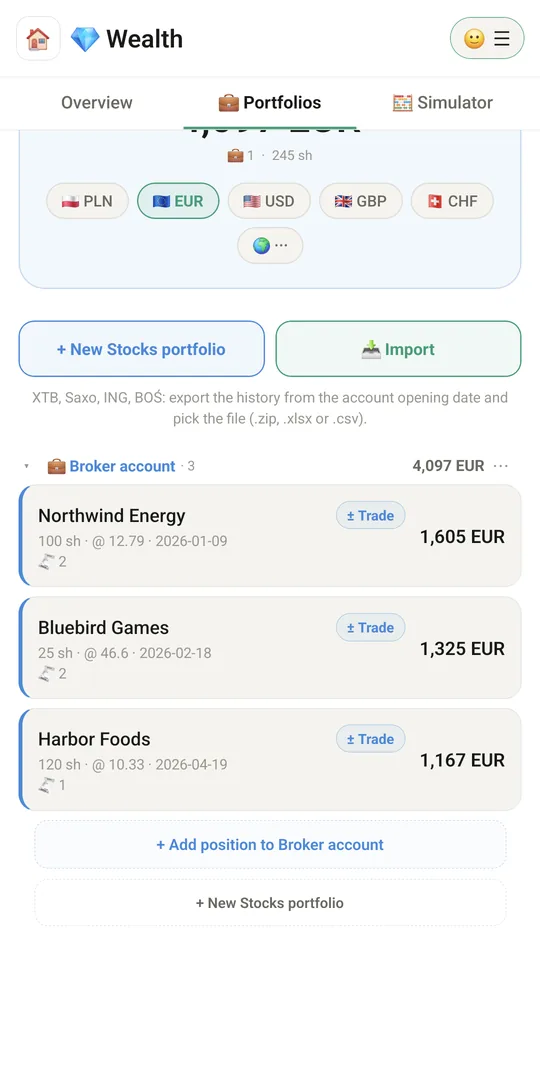
Stock portfolios with average cost
9:41▲ ◢ ▮
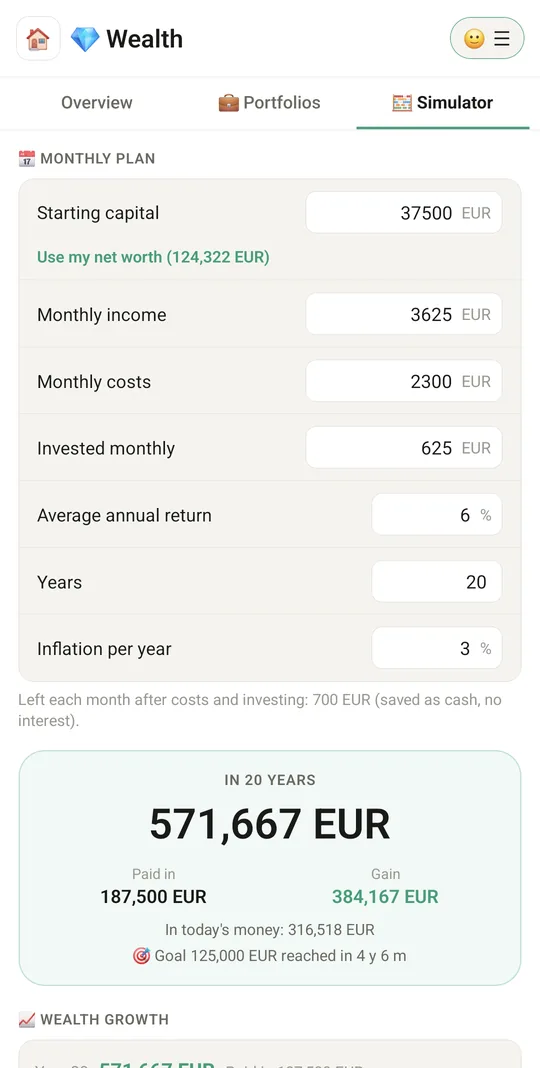
Growth simulator
⭐ Growth simulator

Already in the app

62 functions, free in every Tuvvy.

Assets and debts

  • 14 classes: cash, deposits, stocks, ETFs, bonds, crypto, real estate, gold, silver, diamonds, gemstones, retirement, other, debts
  • Add an asset with the + button (class, name, value, currency, note)
  • Tap an asset to edit or update its value
  • Long-press an asset to delete it (with confirmation)
  • Debts are subtracted from net worth
  • Asset currency: PLN, EUR, USD, GBP, CHF (plus currencies from broker imports)
  • Separate wealth data for each Tuvvy account

Wealth overview

  • Net worth = assets − debts
  • Change since the previous snapshot (▲/▼)
  • Total assets and total debts
  • Wealth breakdown bar by class with % shares
  • Asset list grouped by class with a total for each class
  • Amount in the display currency, with the item's own currency next to it

Currencies and rates

  • Display currency switcher (PLN/EUR/USD/GBP/CHF) – all amounts convert instantly
  • Full currency list with search (🌍) for choosing the display currency
  • Automatic conversion at ECB rates (Frankfurter) with a fallback source and offline cache
  • Warning when rates are unavailable or a currency has no rate

Stocks and portfolios

  • “Portfolios” tab with the total of all stocks
  • Create a stock portfolio (e.g. a brokerage account)
  • Rename a portfolio
  • Delete a portfolio together with its positions
  • Portfolio ⋯ menu: add position, import, rename, delete
  • Collapse and expand portfolio cards (remembered)
  • Stock position: Yahoo ticker, number of shares, purchase price, purchase date
  • Live stock price from Yahoo Finance and position valuation
  • Position profit / loss in amount and percent
  • London Stock Exchange prices converted from pence to pounds

Cryptocurrencies

  • Pick a coin from 12 popular ones (BTC, ETH, SOL, XRP…) and the amount
  • Live crypto valuation from CoinGecko in the display currency
  • Custom coin symbol with a manual value

Buy and sell transactions

  • Buy more or sell part of a position (stocks, crypto)
  • Quantity, unit price, fee and transaction date
  • Current market price hint in the form
  • Post-trade preview: new quantity, average cost, value, realized result
  • Blocks selling more than you hold
  • Position transaction log with total holdings and average cost
  • Realized profit/loss on the position
  • Long-press a transaction to delete it
  • Position menu: buy more, sell, transactions, edit, delete

Broker import

  • Import history from XTB, Saxo, ING and BOŚ (.zip, .xlsx, .csv)
  • Choose an existing target portfolio or create a new one
  • Option to include CFDs (open result only)
  • Option to include fully closed positions
  • Account cash balance calculated from operations or entered manually
  • Warnings about incomplete positions and positions without a live price
  • Automatic Yahoo ticker lookup by WSE name or ISIN
  • Re-importing updates the same positions without duplicates

History and goal

  • Automatic daily net worth snapshot
  • Net worth chart from recent snapshots
  • Full-screen chart with 1M / 3M / 1Y / MAX range and tap-to-read points
  • Named snapshot of the day (e.g. “before renovation”)
  • Browse snapshot history with changes between them
  • Rename any snapshot or delete it
  • Wealth goal with a progress bar

Menu and more

  • ☰ menu: Wealth menu, Tuvvy accounts, help, language
  • Wealth menu: base currency, named snapshot, browse history
  • Open a specific asset from global search
  • Wealth summary on a home screen tile
  • Data is included in the modules backup
  • 🔢 A calculator button next to quantity, price and value — the result goes straight into the field
  • Shares from your portfolios in Home search and the 🔎 Search tab: type a ticker, a company or a portfolio name; the result opens the position with its portfolio expanded
  • 🔢 PIN for Wealth: a 4-digit code or your fingerprint before Wealth opens on this phone. It hides the screens and does not encrypt the data

With Tuvvy Premium Premium

Extras that tie this module to the rest of your Tuvvy.

⭐ Premium

Saved on the bike (from Activity) as cash that moves your wealth goal

⭐ Premium

🧮 Simulator tab, turned on in the Wealth menu → 🧮 Tools

⭐ Premium

Monthly plan

starting capital (also from your current net worth), income, costs, investing, average annual return, years, inflation

⭐ Premium

Wealth over the years

paid in, gain, value in today's money, when you reach the goal; chart and year-by-year table

⭐ Premium

Expected return scenarios

share packages bought at different prices (e.g. before an IPO), average price, price scenarios with profit, ROI, multiple and yearly return

⭐ Premium

A scenario marked ★ joins the wealth forecast

⭐ Premium

Growth chart

years along the bottom and money up the side, with a grid, your goal line and a line for the value in today's money; tap a year to read it

Coming next

Ideas we are working on or considering — tell us which one you want first.

Idea

Yearly report

How your net worth changed over the year and where the change came from.

Idea · Premium

Savings cushion

How many months your savings would last if your income stopped, based on your real costs.

Idea

Loan overpayment plan

See how extra payments would shorten your loan or lower the monthly instalment.

Idea · Premium

Digital legacy

An encrypted where-is-what list for a chosen family member, shared only if you stop checking in for a long time.