Tuvvy

Scrum Poker

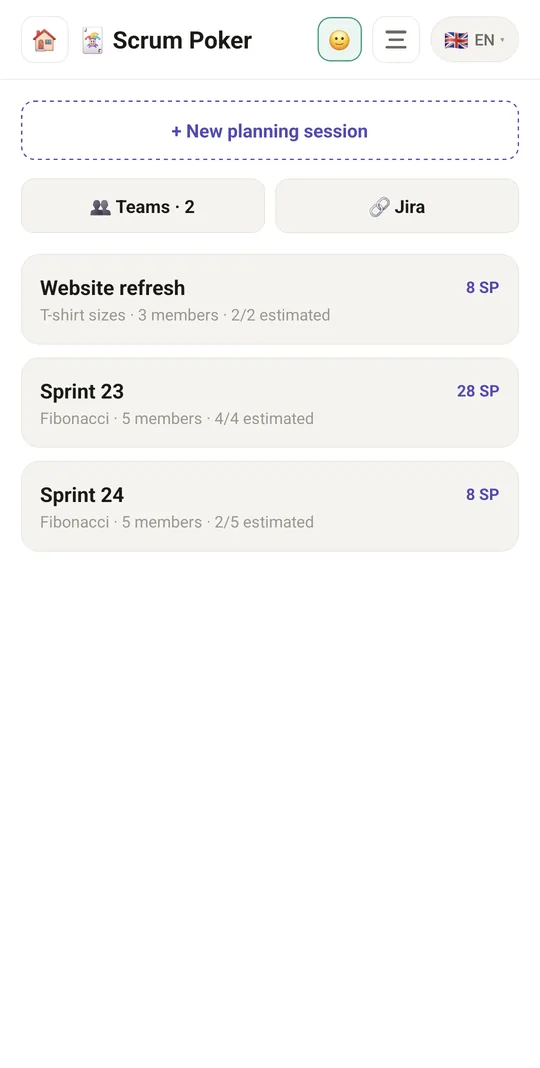
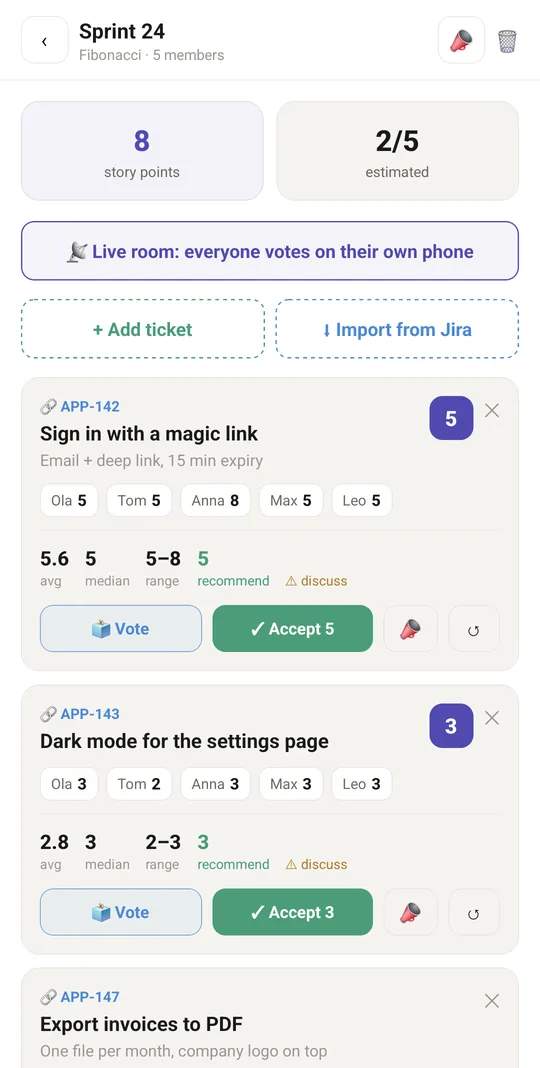
Planning poker on one phone or in a live room where everyone votes from their own phone: start a session with your team, add tickets and let everyone pick a card. Reveal the votes together, check the statistics and accept an estimate in one tap.

9:41▲ ◢ ▮
Planning sessions with story points
9:41▲ ◢ ▮
Votes, average and a recommended estimate
9:41▲ ◢ ▮
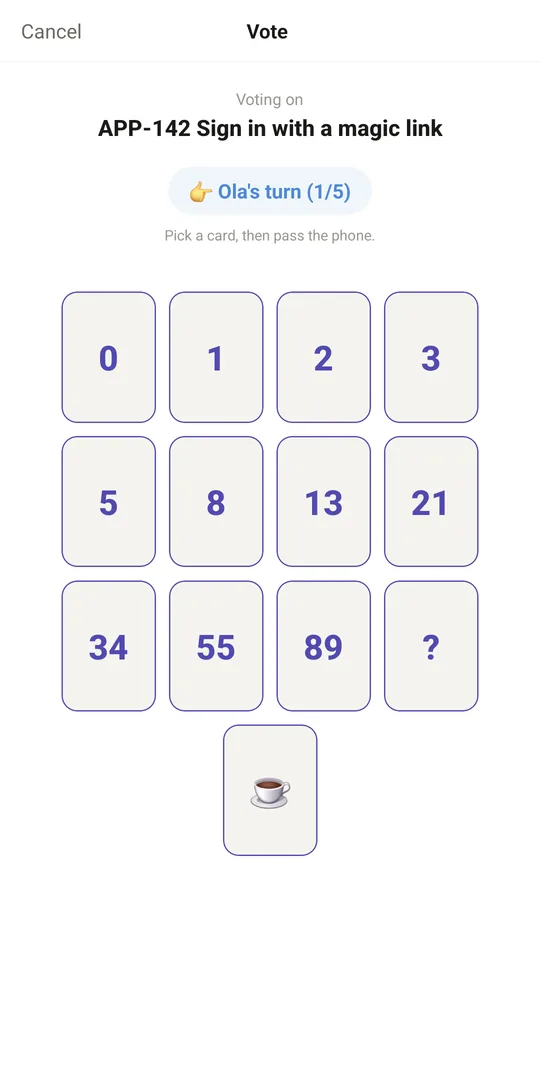
Hot-seat voting on one phone
9:41▲ ◢ ▮
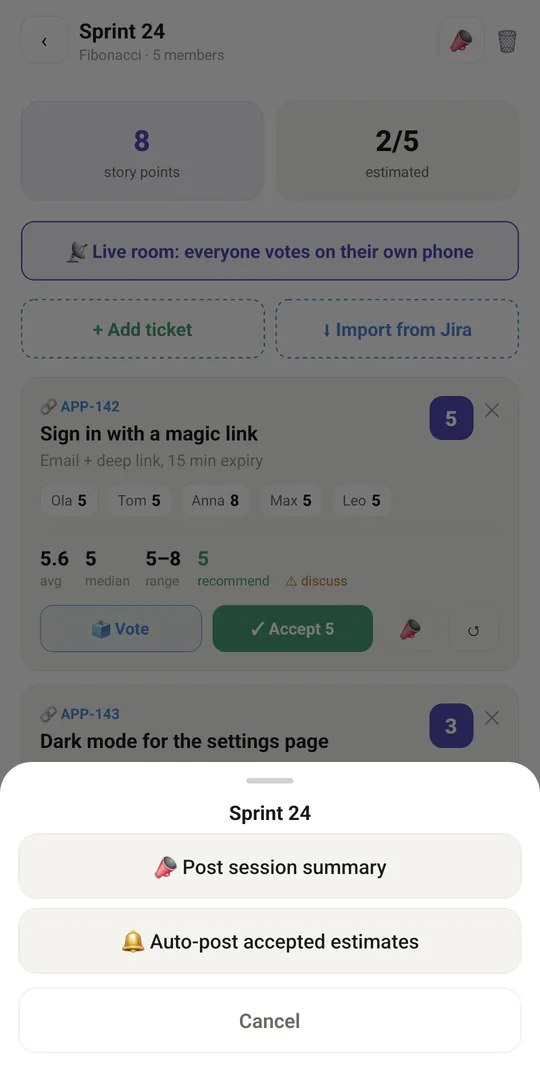
Post results to Slack, Teams or Discord
⭐ Post results to Slack, Teams or Discord
9:41▲ ◢ ▮
Saved teams with their deck

Already in the app

30 functions, free in every Tuvvy.

Sessions

  • Create a planning session: name, deck, team members
  • Decks: Fibonacci, modified Fibonacci, T-shirt sizes, powers of two
  • Session list with total story points and number of estimated tickets
  • Delete a session (with confirmation)
  • Separate sessions for each Tuvvy account

Tickets and voting

  • Add a ticket: title and notes
  • Delete a ticket
  • “Hot-seat” voting: each person picks a card in turn and passes the phone
  • Hidden votes until reveal
  • Reveal cards
  • Statistics: average, median, range, recommendation, consensus or “needs discussion”
  • Accept the recommended estimate
  • Revote (reset votes)
  • Total story points and number of estimated tickets in the session

Live room

  • Shared online room – everyone votes on their own phone
  • Invite by link (share)
  • Join a room from a link
  • The facilitator picks a ticket from the session list
  • See who has already voted
  • Change or withdraw your own card
  • Facilitator reveals cards, with statistics
  • Accept the estimate and move on to the next ticket automatically
  • Revote on a ticket
  • Return to the last opened room
  • Close the room (facilitator) or leave it (participant)
  • Room state refreshes automatically
  • 🟢 Online dot next to each member of the live room

Team channel

  • Send the session summary to the team channel
  • Auto-send accepted estimates to a chosen channel
  • Pick or add a team channel (webhook)

With Tuvvy Premium Premium

Extras that tie this module to the rest of your Tuvvy.

⭐ Premium

Send the vote result to Slack / Teams / Discord

Coming next

Ideas we are working on or considering — tell us which one you want first.

Idea

Vote on your own time

Team members in different time zones vote before a deadline; the result goes to your team channel.

Idea

Anonymous mode

Cards are revealed without names, so nobody feels pressure to follow the group.

Idea

Discussion timer

A time limit for discussion when the votes are far apart.

Idea

Retrospective

Collect what went well and what didn't, then vote on what to improve.

Idea · Premium

Estimate from history

When you add a task, see how similar past tasks were estimated.