Tuvvy

Wallet

Your cards and tickets in the phone: loyalty cards, club passes, bank cards, tickets, boarding passes. Type the number, snap front/back photos, and show a scannable barcode or QR right off the screen.
9:41▲ ◢ ▮
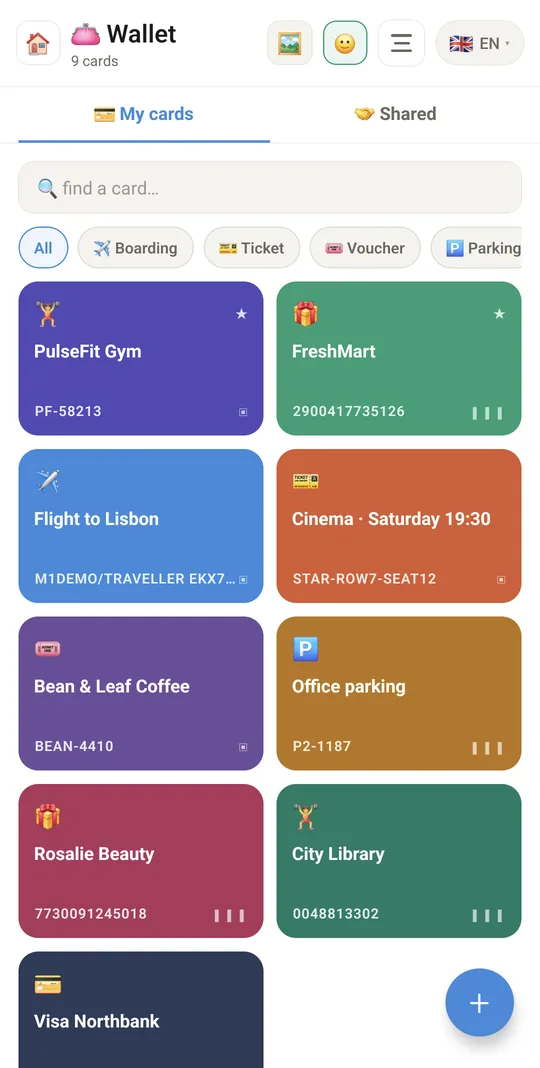
Every card in one wallet
9:41▲ ◢ ▮
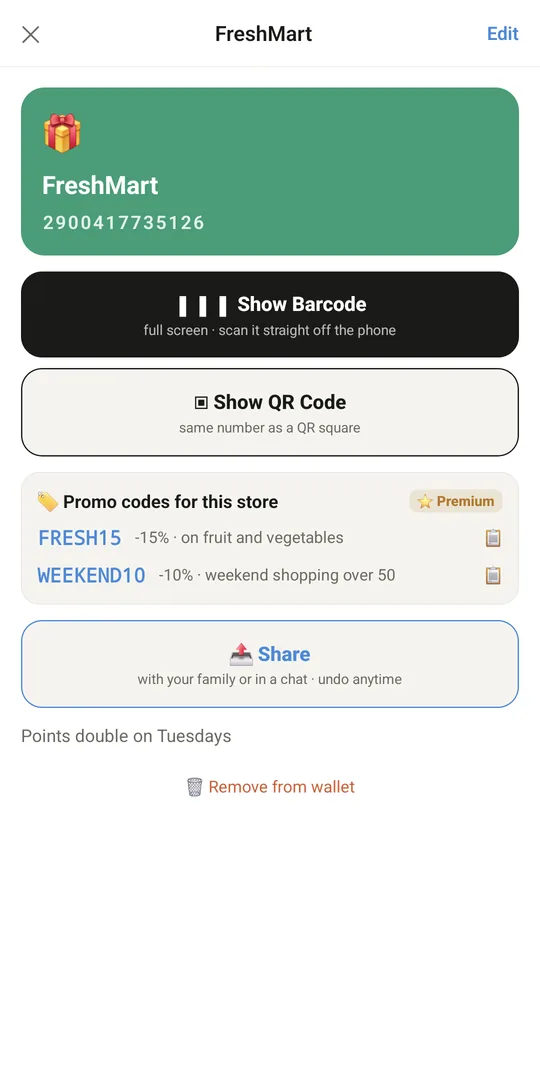
Promo codes right on the loyalty card
⭐ Promo codes right on the loyalty card
9:41▲ ◢ ▮
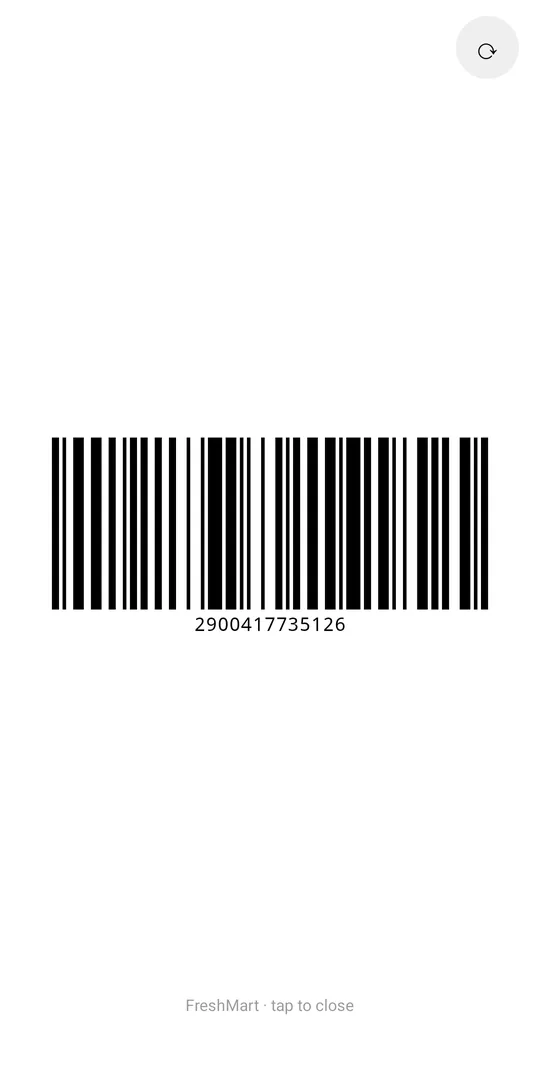
Show the barcode at checkout
9:41▲ ◢ ▮
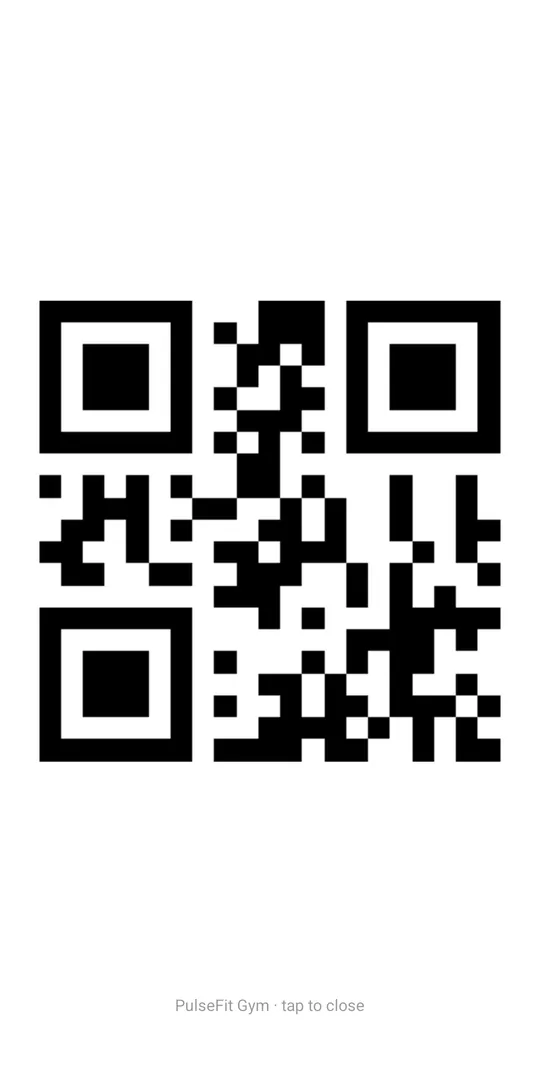
Club passes as a QR code
9:41▲ ◢ ▮
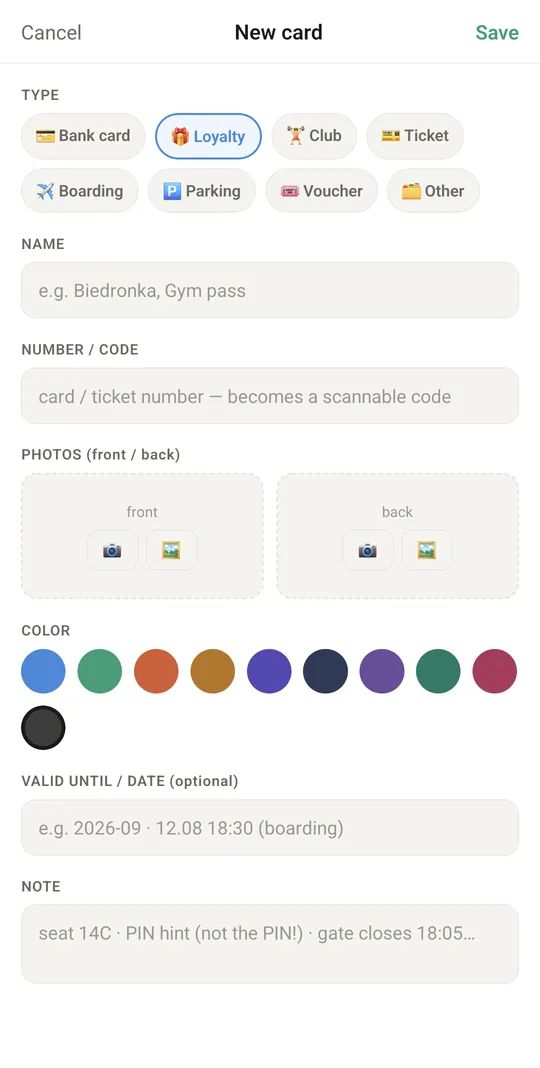
Add a card in seconds

Already in the app

44 functions, free in every Tuvvy.

Cards in your wallet

  • 8 card types: bank, loyalty, club, ticket, boarding pass, parking, voucher, other
  • Add a card with the + button (name, type, number/code, colour, expiry, note)
  • Edit a card from the details view
  • Remove a card from the wallet (with confirmation)
  • Choose one of 10 card “plastic” colours
  • “Valid until / date” field in any format (e.g. boarding time)
  • Card note (e.g. seat, a PIN hint – never the PIN itself)
  • Warning on bank cards: store only the last 4 digits, never the CVV/PIN
  • Bank cards shown only with the number ending (•• 1234)
  • Separate wallet for each Tuvvy account (account switcher in the header)
  • Banner warning when card numbers and photos aren't encrypted, with a link to set a password
  • 💳 Cards from your payment details: an IBAN, Revolut Revtag or payment link from your profile or from a chat becomes a Wallet card with a QR code

Card photos

  • Photo of the card front and back with the camera
  • Add a front/back photo from the gallery (with cropping)
  • Remove a single photo in the form
  • Full-screen photo preview (black background)
  • Switch front/back in the preview without closing
  • 🖼 toggle in the header: tiles show card photos instead of coloured plastics (remembered)
  • 🖼 icon on a tile opens the photo straight from the list
  • ↻ Rotate a card photo: while editing the card tap Rotate under the photo — each tap turns it a quarter to the right

Code to scan at checkout

  • Show the barcode full screen (EAN-13 for 13 digits, otherwise CODE128)
  • Show the same number as a QR code
  • GS1-128 code support (e.g. written with brackets “(01)…” or “]C1…”)
  • Rotate the barcode to landscape with the ⟳ button
  • Screen stays on while the code is shown
  • Choose the default code type (barcode / QR) per card
  • Close the code by tapping the screen

List, search and filters

  • Search cards by name and note
  • Filter by card type (pills for types present in the wallet)
  • Long-press a card = favourite ★ (pinned to the top of the list)
  • Card count in the header
  • Open a specific card from global search or from chat

Sharing cards

  • Share a card with family online (a copy in the family wallet, with photos)
  • Update the copy of a card already shared with family
  • Send a card in a Messenger chat (name and number, no photos)
  • “Add to Wallet” button on a card received in chat
  • “Shared” tab: cards shared with me (by family and in chat)
  • “Shared” tab: cards I share
  • Stop sharing with family (the card disappears from the family wallet on all phones)
  • Revoke sharing in chat (the card disappears for recipients)
  • Shows who shared the card (family / chat)
  • Family cards are view-only (no editing)

Data and backup

  • Cards stored in a local per-account database, ready for sync
  • Cards and photos are included in the module backup

With Tuvvy Premium Premium

Extras that tie this module to the rest of your Tuvvy.

⭐ Premium

Promo codes for this store

working codes from Promo Codes for the same store listed under the barcode, tap to copy

Coming next

Ideas we are working on or considering — tell us which one you want first.

Idea · Premium

Card from a photo

Take a photo of a loyalty card and its number and barcode fill in by themselves.

Idea

Card at the store

The right loyalty card comes up by itself when you are at the shop.

Idea

Expiry reminders

A reminder before a card, ticket or voucher expires.

Idea

Tickets from PDF

The code is pulled from a ticket PDF and saved as a card.

Idea · Premium

Card on the lock screen

Your favourite card in a widget, ready at the till without unlocking the phone.